
Turn every service request into a structured opportunity
Furnify helps furniture dealers and project partners manage service requests, issues and changes in one clear workflow. Keep requests connected to the right client, location and furniture asset, respond faster and turn aftercare into a stronger source of customer value and revenue.
How to turn service requests into better customer relationships?

Stay in control after delivery
After delivery, service requests often arrive through scattered emails, phone calls or informal messages. That makes it hard to track what was requested, who is responsible and what the commercial impact could be. Furnify gives your team one structured place to manage aftercare and stay connected to every client.
Manage every request in one flow
Damage reports, maintenance questions, move requests and replacement needs all require clear follow-up. Furnify helps your team capture, assign and track each request, so nothing gets lost and every client interaction becomes part of a visible service history.

Manage every request in one flow
Damage reports, maintenance questions, move requests and replacement needs all require clear follow-up. Furnify helps your team capture, assign and track each request, so nothing gets lost and every client interaction becomes part of a visible service history.
Turn service into revenue

Every repair, replacement or change request can reveal a new commercial opportunity. Furnify connects service activity with furniture data, warranties and client context, helping your team identify moments for upgrades, replacements or additional products instead of only solving issues reactively.
Connect tickets to furniture data
Service becomes more valuable when your team knows exactly which product, room, location or warranty is involved. Furnify links requests to delivered furniture and asset information, so your team can respond with better context and turn support into informed follow-up.
Manage every request in one flow
Damage reports, maintenance questions, move requests and replacement needs all require clear follow-up. Furnify helps your team capture, assign and track each request, so nothing gets lost and every client interaction becomes part of a visible service history.
Works with your existing workflow
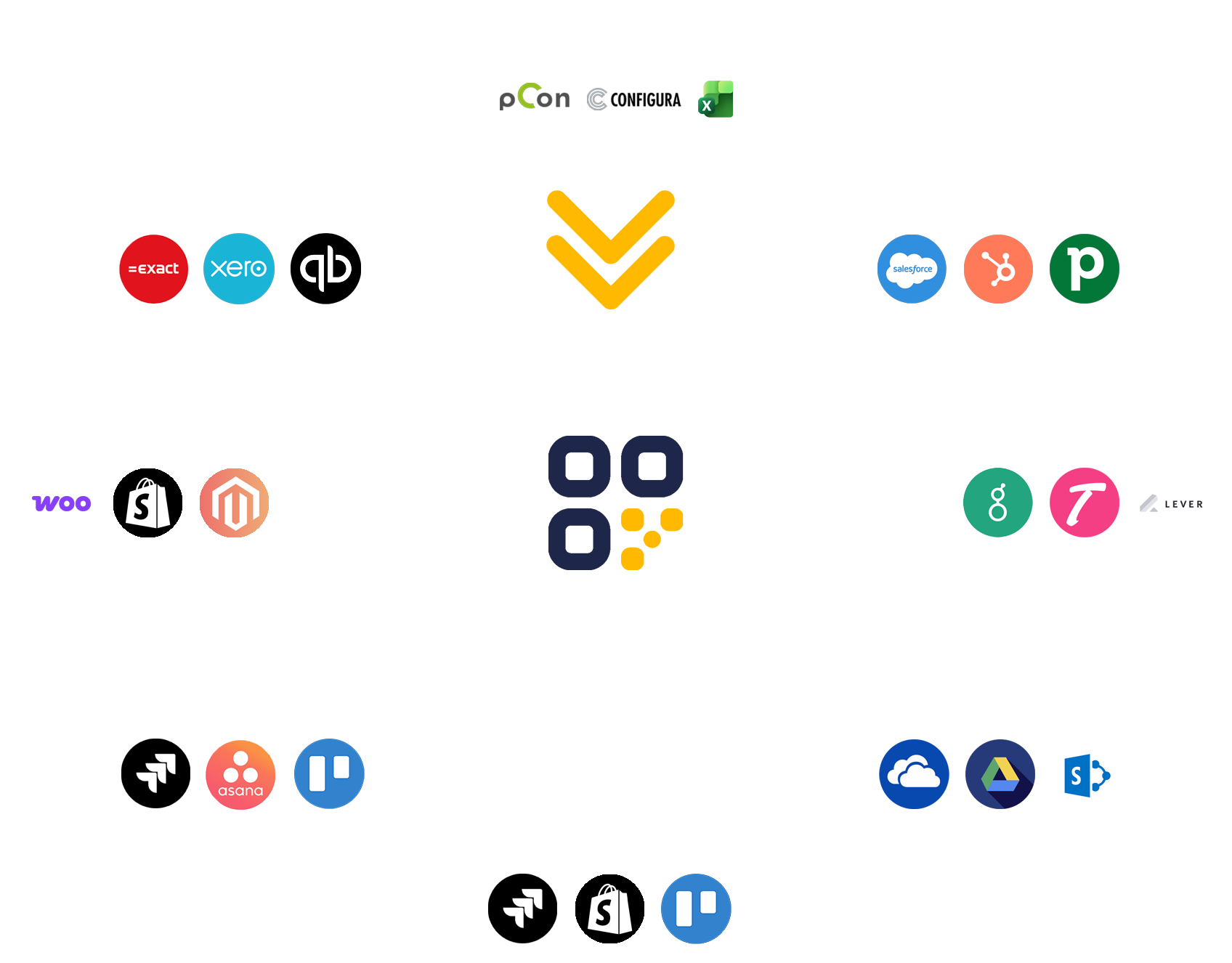
From project data to post-sale operations, everything stays connected. Furnify connects with tools like pCon, Configura CET and your existing project, CRM or ERP systems, so you can extend your workflow without changing how your team works.
More than a helpdesk
Most ticketing tools only manage issues. Furnify is built around furniture, projects and long-term client relationships. It connects service requests with assets, warranties, locations and commercial signals, making aftercare more useful for both your service team and your sales team.

Handle aftercare in one place
Damage, maintenance, warranty questions and change requests should not live across separate inboxes. Furnify brings them together in one system, so your team can track progress, manage responsibilities and keep full visibility across customers and projects.

Give clients a better service experience
With Furnify, clients get a clear and professional way to request support, report issues or ask for changes. Instead of sending loose emails or calling different contacts, they use one branded portal that keeps your dealership visible and easy to reach after delivery.
Scale service across customers and projects
Manage service requests across multiple clients, locations and projects from one platform. Each customer can have their own portal, users, assets and workflows, while your team keeps one central overview of all aftersales activity.
Furnify is a strong fit if you…
Need a scalable way to manage service, support, warranty questions and aftercare requests across multiple furniture projects and client accounts.
- Want to manage service requests in one central workflow
- Need tickets connected to furniture assets, locations and warranties
- Want clients to submit requests through a branded customer portal
- Want to turn service moments into replacement and upsell opportunities
- Need your team to manage aftersales, asset visibility and customer communication in one place
Ready to turn service in revenue oppertunities?
Book a short demo to see how Furnify connects assets, service workflows and lifecycle insights in one platform built to grow revenue, reduce costs and keep workspaces moving.
- Discovery call with an expert
- Fast onboarding